Quick verdict
- Minimum bend radius = sheet thickness × material multiplier. 1× for soft aluminum, 1-2× for cold-rolled steel, 2-3× for stainless 304.
- K-factor = neutral-axis offset ratio. Use 0.33 for tight bends, 0.42 default, 0.5 for relaxed bends.
- Most cracking, springback and distortion problems trace back to either too-small radius or wrong K-factor in the flat-pattern calculation.
Why bend radius matters
When a sheet bends, the outer fiber stretches and the inner fiber compresses. Push the radius too tight and the outer fiber cracks. Specify it too generous and you waste material on a corner that’s bigger than the design needs — which adds weight, eats into part envelopes, and quietly drives unit cost up.
Bend radius also drives the flat-pattern length. Get it wrong and your finished part will be 0.5-2 mm short of nominal — invisible until assembly. For housings and brackets that mate to other components, that’s the difference between a part that ships and a part that goes back through fabrication.
Material multiplier table — minimum bend radius by alloy
The minimum bend radius is rated as a multiplier of sheet thickness (T). These numbers are conservative — go tighter only if your fabricator confirms specific equipment and tooling can hit it.

| Material | Annealed (×T) | Half-hard (×T) | Full-hard (×T) |
|---|---|---|---|
| 1100 Aluminum | 0.0 | 0.5 | 1.0 |
| 3003 Aluminum | 0.0 | 0.5 | 1.5 |
| 5052 Aluminum | 0.5 | 1.5 | 2.5 |
| 6061-T6 | 1.5 | 2.5 | 4.0 |
| 7075-T6 | 3.0 | 5.0 | 7.0 |
| Cold-rolled mild steel | 0.5 | 1.0 | 2.0 |
| SUS 304 stainless | 0.5 | 1.5 | 3.0 |
| SUS 316L stainless | 1.0 | 2.0 | 4.0 |
| Brass C26000 | 0.0 | 0.5 | 2.0 |
| Titanium Grade 2 | 1.5 | 2.5 | 4.0 |
Reading the table: For 2 mm thick 6061-T6 (already in T6 condition = full hard), minimum inner radius = 2 × 4.0 = 8 mm. Going tighter risks cracking; you’d need to anneal the bend zone before forming or switch to 5052 instead.
K-factor and bend allowance
The K-factor describes where the neutral axis lives inside the sheet during the bend. Push the metal past its yield, the inner fiber compresses and the outer fiber stretches; the neutral axis (no stress) shifts toward the inner radius. The K-factor tells the flat-pattern math how much shift to assume.

Bend allowance formula:
Bend allowance (mm) = (π / 180) × bend angle (°) × (inner radius + K × thickness)
Typical K-factor values:
- 0.33 — tight bends (radius < thickness), high-yield material
- 0.42 — default for most low-carbon steel and aluminum 5052
- 0.45 — softer materials, larger radii (radius > 3× thickness)
- 0.50 — perfectly plastic, ideal-case (rarely real-world)
If you draw the part flat in your CAD with a generic K=0.5 and your fabricator forms it with K=0.42, your finished part comes out 0.5-1 mm shorter than intended on every long bend. SolidWorks, Solid Edge and Fusion 360 all let you store an alloy-specific K-factor table — set it up once per material and let the CAD calculate flat patterns correctly.
Springback and overbending
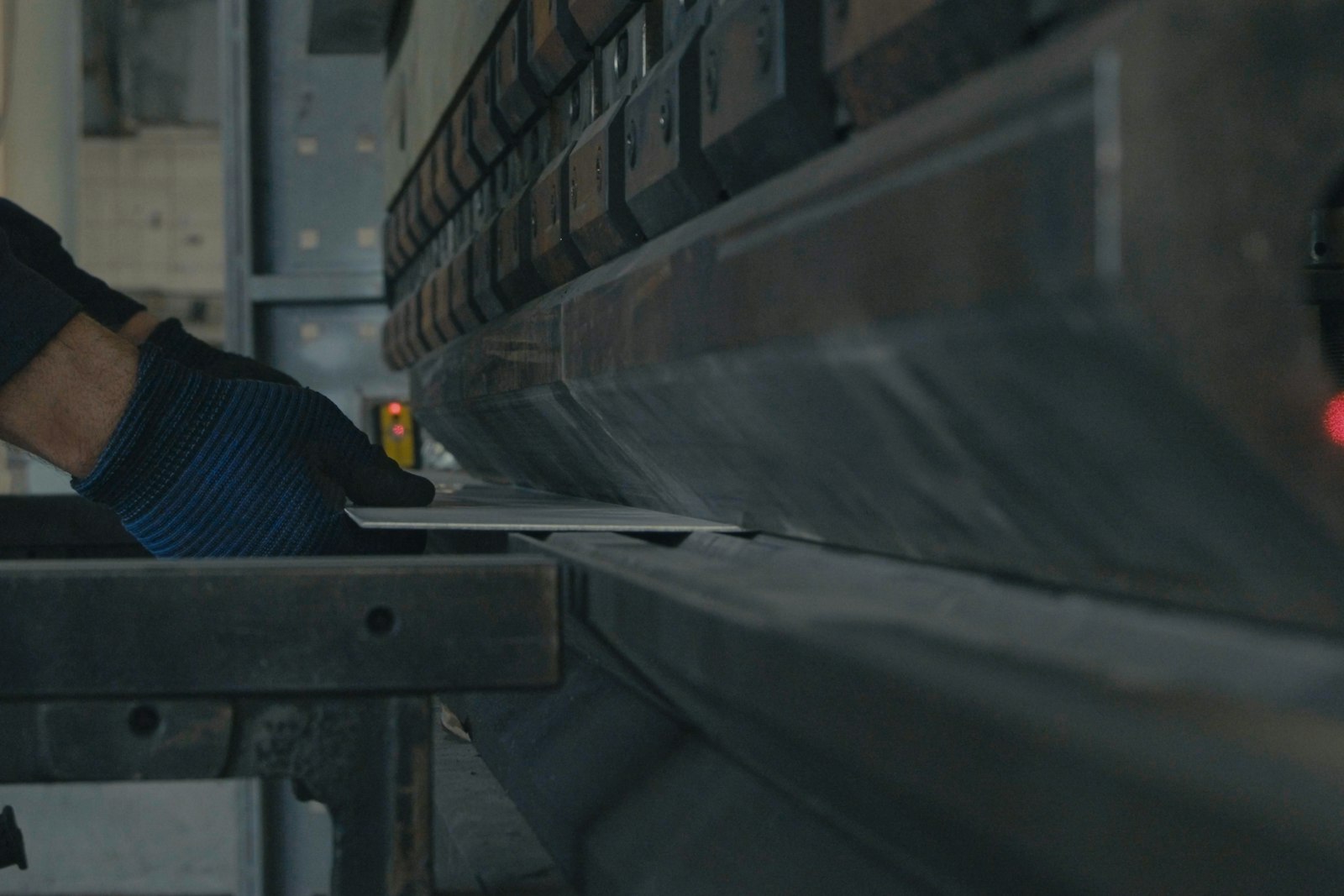
Sheet metal is partially elastic — when you release the press brake, the bend “springs back” by 2-7 degrees depending on material and radius. Fabricators overbend to compensate: they target 95° on the press to land at 90° after release.
Material springback typical:
- 5052 / 1100 aluminum: 1-2°
- 6061-T6, 7075-T6: 3-6°
- Cold-rolled mild steel: 2-3°
- Stainless 304: 4-7°
You don’t typically design for springback yourself — fabricators handle it. But specifying a tighter-than-minimum radius dramatically increases springback variation, which means more scrap and tighter QC. That’s another reason to stay above minimum bend radius.
Bend interference: corners, holes and hardware
A bend doesn’t happen in isolation — surrounding features get distorted if they’re too close.
Distance rules to remember:
- Hole-to-bend: minimum 2.5 × thickness + radius from the bend tangent line. Closer than that, the hole deforms into an oval.
- Edge-to-bend (parallel): minimum 2 × thickness of clearance for stable forming.
- Tapped or PEM insert: minimum 3 × thickness from the bend, more if the insert is taller than the sheet.
- Slots crossing the bend line: distort badly — split the slot into two pieces or redesign.
If your fabricator has to bend through a hole, expect a notch instead of a clean bend, and an out-of-spec final dimension on the bent leg. Most of these issues are visible in your CAD model the moment you flatten the part — the hole becomes a dog-bone and you know there’s interference.
Six design rules every engineer should remember
- Bend along the grain when possible. Aluminum sheets have a rolling grain direction; bends across the grain crack first. The grain is usually parallel to the long edge of the supplied sheet.
- Allow 4× thickness clearance between any feature (hole, slot, embossed boss) and the bend line.
- For hems, never fold a hard sheet flat onto itself. Either anneal first, or specify a “tear-drop hem” that leaves a small gap.
- Specify inner radius on the drawing, not outer. Fabricators read inner radius directly from press-brake punch geometry — translating from outer adds error.
- Match all radii on multi-bend parts when feasible. One punch + one die handles every bend → faster, cheaper, no setup change.
- Avoid sharp inside corners on the part flange. Use a relief notch (round or rectangular) at the corner where two bends intersect — without it, the corner tears.
A 30-minute bend-radius DFM check
Before sending any sheet-metal part for quote, run this on your CAD model:
- Material specified — alloy + temper (don’t just write “aluminum”)
- All bend radii ≥ minimum from the multiplier table for that alloy and temper
- K-factor stored in CAD set to alloy default (typically 0.42 for steel, 0.42-0.5 for aluminum)
- Flat pattern generated and reviewed — distortion-free
- Holes, slots and inserts ≥ 2.5×T + radius from bend tangents
- Same-radius rule applied where geometry allows
- Corner reliefs added where two bends intersect
- Drawing calls out inner radius (not outer)
- Cosmetic A-face marked if certain side must be scratch-free
- Tolerance band realistic (±0.1 mm achievable on most bends; ±0.05 mm requires extra QC and cost)
Most issues are obvious once flagged. The trap is forgetting to check — engineers who design plastic parts daily often miss the grain-direction rule when they pick up a sheet metal project.
FAQ
What’s the absolute minimum bend radius for sheet metal?
The practical minimum is what’s listed in the multiplier table — going below produces cracks. The theoretical minimum is zero (sharp 90° corner) and you can get there with coining: stamping the metal between a flat punch and matching die under enough force to plastically deform the inside corner. Coining is rare in commercial sheet metal because it requires custom tooling and 3-5× the press force of normal bending.
Can I get a tighter radius by annealing?
Yes — local annealing reduces the minimum bend radius significantly, especially in 7075-T6, 6061-T6 and 304 hard. The trade-off is loss of strength in the heat-affected zone (typically 30-50% lower yield strength after annealing). For non-load-bearing brackets it’s fine; for structural parts, switch to a softer alloy instead.
What’s the difference between coining, bottoming and air bending?
Three press-brake processes, decreasing in tooling and force requirement: Coining stamps the inner radius into the sheet using a matched punch tip and die — sets radius exactly to punch tip. Bottoming presses the sheet to the bottom of the die — sets radius close to punch tip but with some springback. Air bending uses a wider die and partial penetration — radius is roughly 16% of die opening, regardless of punch tip. Air bending is the cheapest and most common; coining is reserved for tight-tolerance work.
How do I tell what K-factor my fabricator uses?
Ask. Most fabricators either follow material-specific defaults (0.42-0.45 for low-carbon steel, 0.42-0.5 for aluminum) or have empirical values from years of running specific alloys. If the project has critical tolerances, request the fabricator’s K-factor in writing and use it in your CAD flat-pattern calculation before sending the file. The DXF/DWG export should reflect the same K-factor your fabricator will form to.
Does laser cutting affect minimum bend radius?
Slightly. Laser-cut edges have a hardened heat-affected zone (HAZ) that’s 20-50 µm deep and slightly more brittle. For thin gauges (≤ 1 mm) and tight bends (radius ≤ 1×T), the laser HAZ can crack first. Workaround: deburr the edge before bending, or specify “lightly deburred” laser cuts for parts with tight bend radii. Plasma and waterjet cutting don’t have this issue.
Get a quote in 24 hours
Send your STEP / DWG file — engineer-direct reply with DFM included.
Leave a Reply